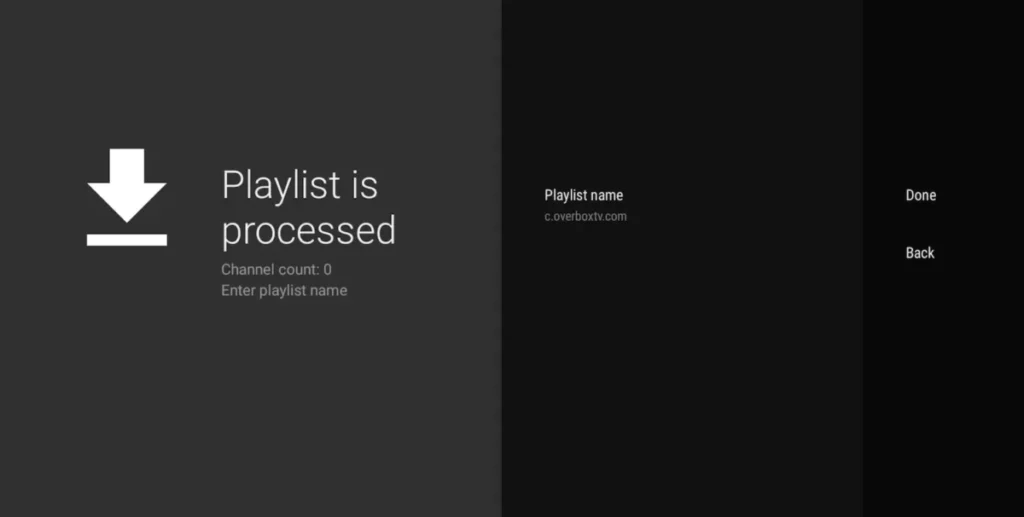
Step-by-Step Installation Manual
Introduction to TiviMate Player
TiviMate is one of the premier IPTV applications designed specifically for Android TV and Firestick interfaces. Its modern design is optimized for large screens and seamlessly supports automated EPG (TV-guide) updates, catch-up features, and recording.
Step 1: Install the Application
1. Open your Android TV's Google Play Store.
2. Search for TiviMate Player.
3. Download and install the application.
Step 2: Add your Playlist
Launch TiviMate and click on ADD PLAYLIST on the home screen.
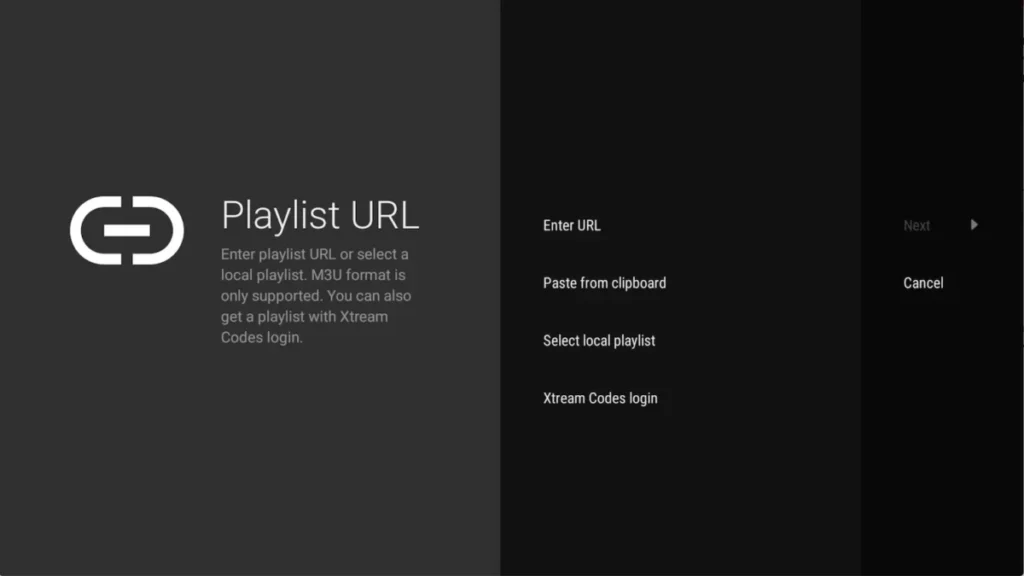
Step 3: Select Xtream Codes Login
You will be presented with several integration methods. Select Xtream Codes. This is highly recommended to sync your Premium PrismIPTV credentials flawlessly.
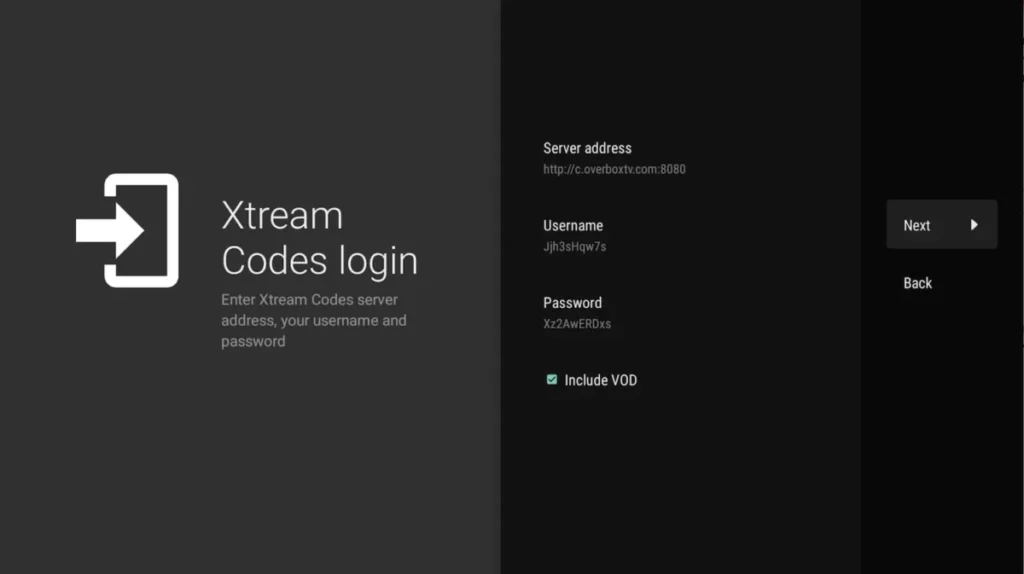
Step 4: Enter your PrismIPTV Credentials
Enter the details exactly as PrismIPTV sent them to you via Email or WhatsApp:
• Server address: (e.g. http://premium-url.com:8080)
• Username: (Provided by PrismIPTV)
• Password: (Provided by PrismIPTV)