
How to Setup Smart IPTV (SIPTV)

Smart IPTV is heavily revered for parsing massive M3U link databases globally. Follow our optimized step-by-step framework to embed your premium PrismIPTV package onto your native television Operating System effortlessly.

Step-by-Step Installation Manual

1

Introduction to Smart IPTV (SIPTV)

With the Smart IPTV app (SIPTV), you can easily play IPTV streams on almost all Smart TVs. Whether you have an LG, Samsung, or Sony webOS, this application works flawlessly to stream your PrismIPTV television packages.

Important: Upon first installation, you receive 7 days of free access. After that, you can activate the app via a one-time in-app payment of €5.49 through their official portal siptv.eu/activation.

2

Step 1: Download Smart IPTV

Download the Smart IPTV app directly from your Smart TV’s official app store.
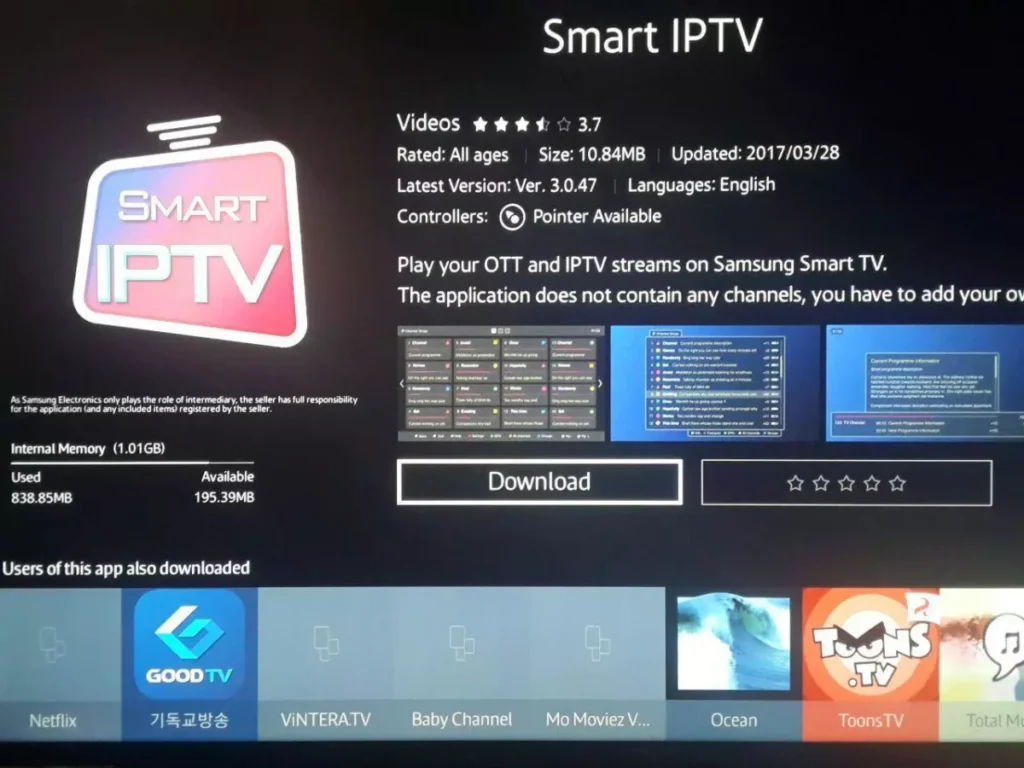
Smart IPTV Setup 1

3

Step 2: Find your Smart IPTV MAC address

After installation, open the app. The MAC address of your Smart TV will prominently appear straight on the screen. You will need this address to link your PrismIPTV payload.
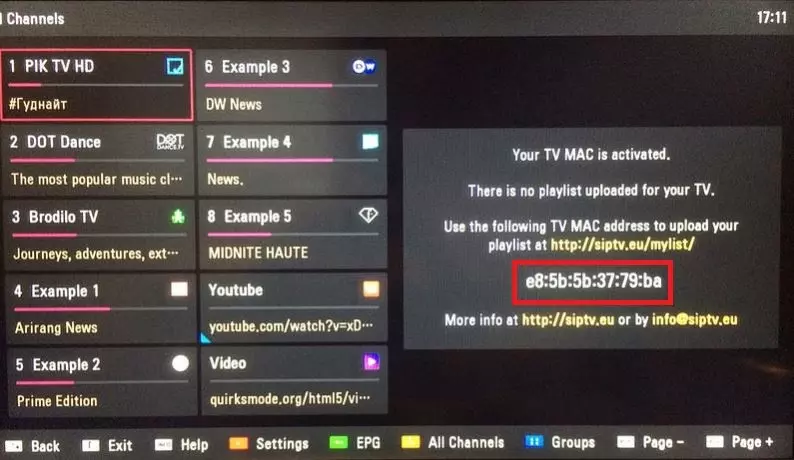
Smart IPTV Setup 2

4

Step 3: Setup your Subscription on Smart IPTV

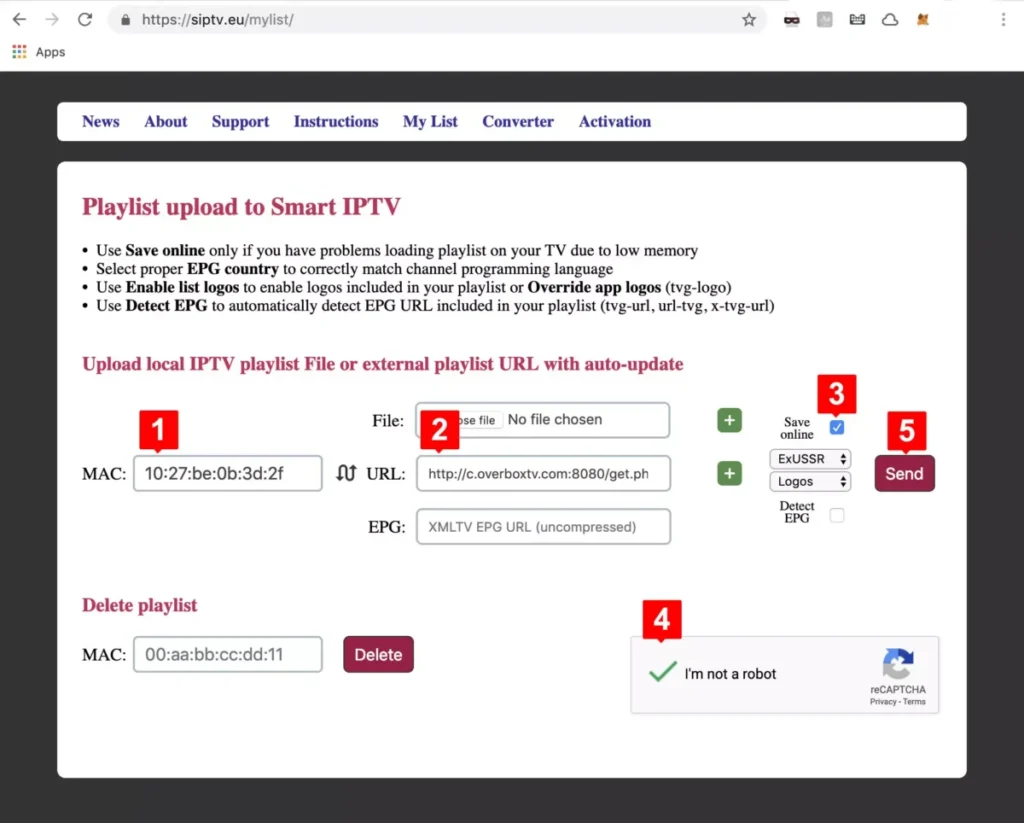
1. From your computer or phone, go to the official linking portal: siptv.eu/mylist

2. Fill in your TV's MAC address in the MAC field.
Smart IPTV Setup 3
3. Enter the M3U link that you received with your Premium USA PrismIPTV subscription.
Note: Check "Save online". This is highly recommended for older TVs because M3U lists containing +140k movies are heavy on RAM!

4. Activate the security captcha and click Send.
Smart IPTV Setup 4
Restart your TV application. You can now enjoy over +35,000 Live TV channels and +140,000 Movies & Series worldwide on your Smart TV!

Frequently Asked Questions

I can't find my MAC address?

➡️ Go to the settings of the Smart IPTV app (at the bottom you will see a guide bar, usually accessible via the red button). Your 12-digit MAC ID is located exactly there.

My channel list is not loading or errors out?

➡️ This often happens on budget televisions parsing very large M3U links. **Solution**: Use the "Save Online" checkbox when submitting your link to offload computing RAM, or request PrismIPTV to trim down international bouquets you don't need.

How do I overwrite an old subscription?

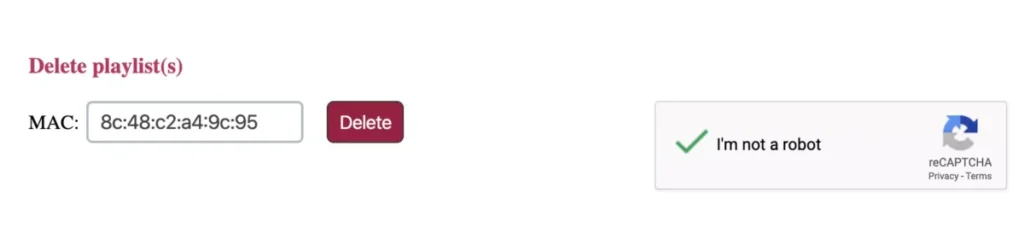
➡️ Go back to `siptv.eu/mylist`, enter your MAC address in the **Delete** section, activate the captcha, and click Delete. You can now fresh-inject your PrismIPTV payload!

Someone from Somewhere

Purchased IPTV Subscription

A few seconds ago